


Top Android App: SleepTimer
SleepTimer is a simple, straightforward app that will allow you to fall asleep listening to music, podcasts, or audiobooks without worry of them running once you fall asleep.
- Version: 0.9.8
- Size: 116KB
- Category: Multimedia
- Price: Free
With SleepTimer you can choose how long the timer wil run (1-180 minutes) and launch your preferred listening app and have it killed at the end of the timer. When one minute remains, a harp sounds and you can shake to extend the timer if you so desire. SleepTimer can also stop another program other than the launched player, as well as disable WiFi/Bluetooth, turn on airplane mode, or mute notifications so you don’t get woken up by an email or text in the middle of the night.
Pros:
- Very simple to use
- Shake to extend timer
- Stop other apps/disable WiFi or notifications
Areas for improvement:
- No widget, which could be good or bad depending on preference
Conclusion: A must have for anyone that enjoys falling asleep to music or podcasts/audiobooks. Enjoy your media without fear of it running all night.
Android Quick App: doubleTwist for Android
I’m back, taking just a quick peek at the new doubleTwist app for Android. This is particuarly good if you use doubleTwist on your Mac or PC (which admittedly, I have installed, but never used) and are too lazy to plug your phone in to your USB cable (also, something I am not). For those of you like me, who don’t really care about wirelessly syncing this app with your computer, then it replaces the stock music / video player on Android.
- Version: 1.0
- Size: 2.1MB
- Category: Multimedia
- Price: FREE
I’m an app-reviewing MACHINE.
So let’s dive in, to doubleTwist for Android!
[doubleTwist home]
[Music - > Albums]
[Music -> Artists]
[Music -> Songs]
[Video]
[Podcasts]
[Music Player]
[Market]
So, as I said above, I don’t use doubleTwist on my Macbook. So the whole “syncing with iTunes” gimmick is lost on me. I’m taking this as just another replacement for the otherwise lackluster stock media player for Android. In that respect, it kind of falls flat.
PROS:
- Sleek UI, familiar yet different at the same time
- HUGE Buttons when you’re playing music. Probably the biggest advantage to this app, especially if you use the Moto Car Mount and rock out while driving.
- Syncs with your iTunes with ease-which is a plus for some
- Simple to use, as a stand alone media player
- Will play other formats than MP4 (big win!)
CONS:
- Does NOT auto-download album art (ala 3 or MixZing)
- Doesn’t really offer anything else besides the iTunes sync and Podcasts that the default player doesn’t offer
- NO WIDGET!! I love Widgets, and I love music widgets. They just make my life so much easier.
CONCLUSION: It serves its purpose. It’s prettier than the default media player on Android, but let’s face it, very little ISN’T. The animations are crisper, and just the overall aesthetic is very pleasing to the eye. The UI is simple, and the buttons are HUGE! For those of you who don’t need the iTunes syncing, because you pirate all your music “illegally” and dont pay Apple anymore money than they need, it makes a pretty spiffy replacement for the default music player. If they had a music widget attached to it-this would earn an extra point. I will use this in the car for sure, because I hook my phone up to my Jabra SP700 bluetooth speaker w/ FM Transmitter, sync it to my car stereo, and rock out while driving, and the little buttons on the default player have nearly gotten me killed many times.The big display is very nice, especially for that scenario.
QR Code:
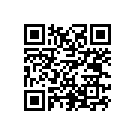
Catch you next time. When there’s no limit to what Droid Gets, there’s no limit to what Droid Does!
Read MoreTop Android App: Vignette Camera
Hands down the best camera replacement app for Android: Vignette! With many more features than the camera effects app FxCamera, you’ll be blown away.
- Version: 2010-05-06.5
- Size: 110KB
- Category: Multimedia
- Price: £2.99 ~ $4.31 (Demo: Free)
- Overall Score: 5/5
If you’re looking to take professional-like pictures on your Android phone, look no further. Vignette offers seemingly endless capabilities.
Vignette opens to the picture look-finder view, with additional options directly on the screen. On the left of the screen, you can adjust the area you’d like to be cropped for the picture. On the right, you can set effects, borders, megapixel #, light adjustments, and the self-timer. What all of this means is that you can create the type of photo you’re going for before you take it. No need for post-editing here (although you most definitely can)! Also, the app will make use of your camera’s flash (if available) and can geotag all of your photos.


Effects (56 total):
- Velvia - Vivid colors for nature photography
- Ilford - Classic black and white
- Toy Camera
- Vintage
- Color Highlight
- Lens effects
- Cinematic
- Many more…

Frames (17 total):
- Movie
- Panorama
- 35mm
- Rounded
- Many more…

Pros:
- Endless customization options
- Adjust effects directly on picture screen
- Dedicated developers, frequent updates
- Import pictures for post-processing
Areas for improvement:
- None, besides adding even more effects options
Conslusion: Easily the best Android camera app available, leaps and bounds better than the native camera. Download the demo and you’ll be upgrading to the Pro version in no time!

Top Android App: Ustream
Do you use Ustream? Do you want to broadcast yourself live from your Android phone? Now you can with the latest app from Ustream.tv.
Version: 0.9.8
Size: 2.08MB
Category: Multimedia
Price: Free
Overall Score: 4.6/5
User Interface: 4.5/5
Ease of Use: 4.5/5
Customizability: 4.5/5
Originality: 5/5
Indispensability: 4.5/5
Ustream brings you the ability to broadcast live from your Android phone to anyone that wants to watch. It is extremely simple and easy to setup, even if you do not yet have an account. This app brings another niche, highly desired type of app (much like Shazam and Ringdroid do their job so well) to the Android Market.
There are two options for recording videos when you open the app; “local” and “live.” First, with the “local” option, you can choose to record high-quality videos and upload them at a later time. Simply click the record button to get started. (Note: If you’d like to watch the videos you save using the “local” option, you’ll need to also install the Ustream Viewer).
A great option that this app offers you is the ability to share your recorded videos via Twitter, Facebook, and Youtube.
If you hit Menu while recording in the “local” setting, you can manager your other videos, choose to switch to “live” or edit your other preferences.
Switching to the “live” option allows you to stream directly to Ustream.tv, so you don’t have to worry about the sharing/uploading options like you do with the “local” option. If you’d like, you can have Ustream tweet that you’re starting your live stream so everyone can come watch/join in.
If you’re interested in sharing yourself and the videos you create with your Android device, this app is the way to do it. It’s a breeze to setup and really easy to use and share, so it’s extremely functional. It should work with all Android versions, so you shouldn’t be disappointed. Scan or click the QR code below for the direct link to Ustream in the Android Market.
Read MoreTop Android App: Gmote 2.0
Application: Gmote 2.0


![Best Android Apps Review Google+ Page [Giveaway – OVER]](../../../../wp-content/uploads/2011/07/Top-Android-App-Google--Icon-40x40.png)


